dxCapture
Capture browser activity. Review every detail. Share with confidence.
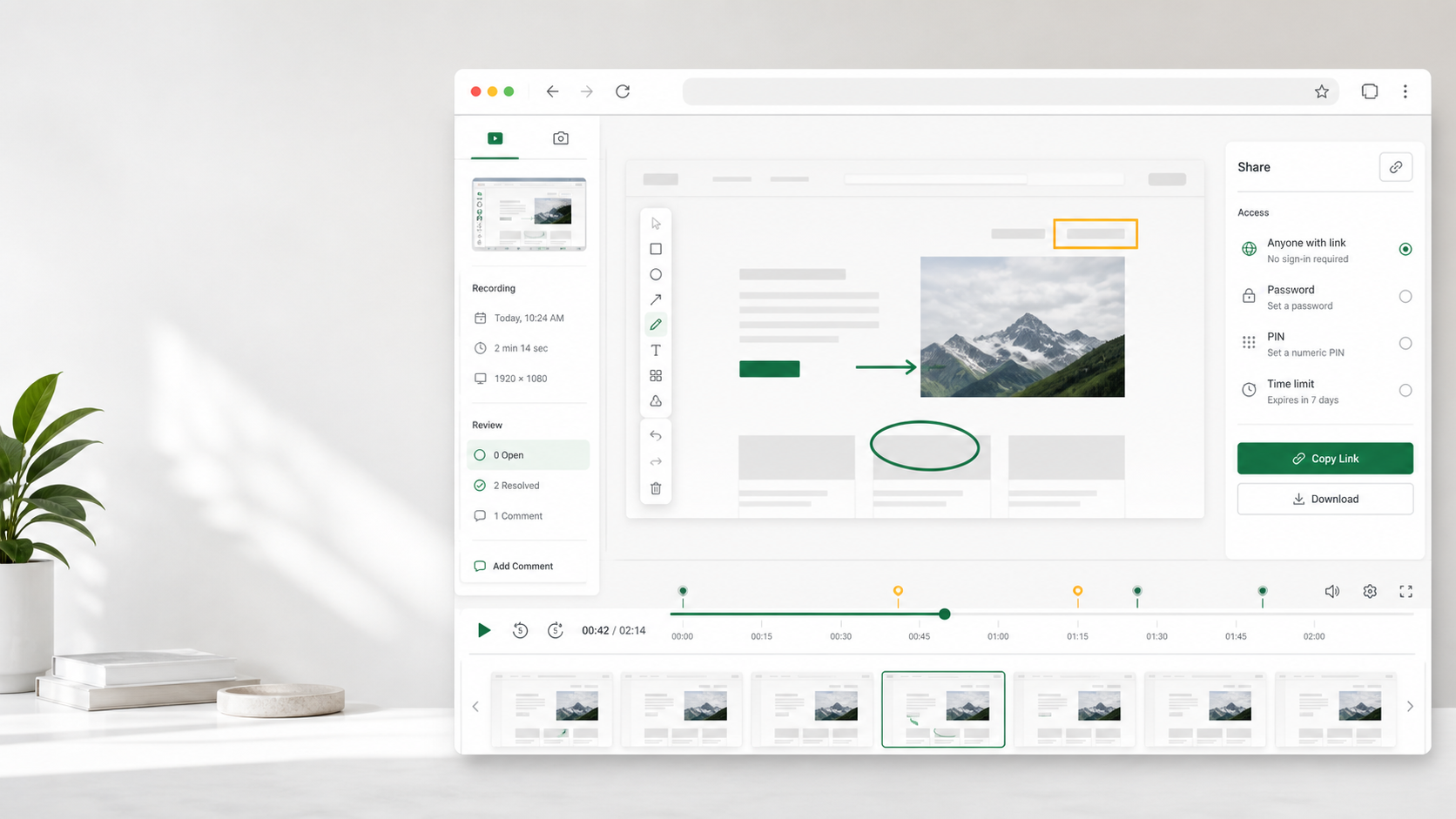
Create screenshots and short screen recordings, annotate them in a private workspace, and share with controlled access.
Simple workflow
Capture quickly. Review with confidence.
Capture with the extension, then continue in your workspace to review, edit, save, share, or delete.
- 01
Capture from your browser
Record your screen or take a screenshot with the dxCapture extension.
- 02
Review in your workspace
Preview each private draft, update its details, and annotate screenshots before saving.
- 03
Share securely
Publish a viewer page with the access method and expiry that suit your audience.
Secure sharing
Share content without exposing your workspace.
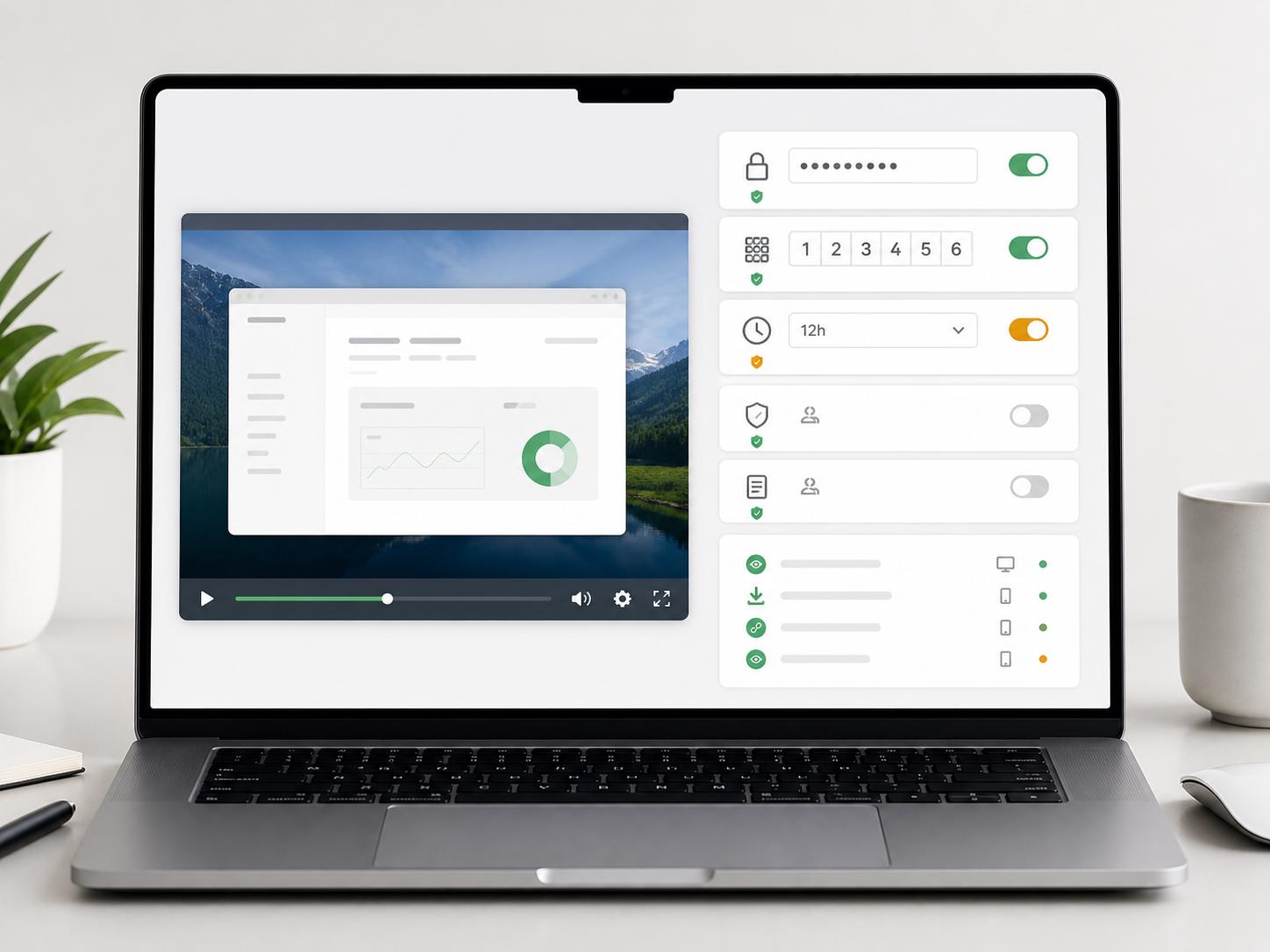
Pro lets you protect each shared link and set an expiry. Your account remains limited to one registered browser and its paired extension.
Password protection
Protect a shared link with an 8 to 64 character password.
Six-digit PIN
Give viewers a short access code when a password is not convenient.
Link expiry
Choose when a shared link expires, from five minutes to one year.
One registered browser
Use your account on one registered browser and its paired extension.
Plans
Choose the right plan for your work
Start free with Full HD capture, upgrade for longer recordings and private sharing, or give your team centrally managed access.
Prices shown are in USD. Sign in to view regional pricing and available payment methods. Choose a term from 1 to 12 months, with no automatic renewal.
Which plan is right for me?
Every plan supports recording at up to Full HD. Free is designed for quick recordings and screenshots. Pro adds longer recordings, private sharing controls, a much larger media library, and ad-free shared pages. Team gives each member a private workspace, the longest recording time, and centrally managed access under one plan.
How long can I record?
Free recordings can be up to 30 seconds, Pro recordings up to 2 minutes, and Team recordings up to 3 minutes. Time spent reviewing or editing does not count toward the recording limit.
How does the Team plan work?
Every Team member signs in with their own account and receives Pro features while the Team plan is active. The Team owner occupies one seat. Each member's recordings, screenshots, and collections remain private unless that member shares them.
How is Team pricing calculated?
Team plans are priced per purchased seat for the selected term. Choose 3 to 500 seats, including the Team owner. We confirm the full price before payment.
Contact salesHow do I pay for Pro or Team?
For Pro, sign in to Plan and billing, select your region and term, and review the available payment options. For Team, contact our sales team to confirm the number of seats, term, and final price. Paid features begin after payment is confirmed.
Contact us about paymentWhich currencies and payment methods can I use?
Vietnam purchases use VND and international purchases use USD. Depending on your region and account, checkout may offer card or digital wallet payment. Vietnam purchases may also offer bank transfer by QR code. Your exact total and available methods are shown before you confirm the purchase.
What is Paddle's role in my purchase?
For purchases completed through Paddle, Paddle is the authorised reseller and securely handles checkout, applicable taxes, payment processing, and purchase confirmation. dxCapture remains your first point of contact for product support, billing questions, and refund requests. We coordinate with Paddle when required.
Read Paddle's buyer termsWhy might Paddle appear on my bank statement?
Purchases processed through Paddle may appear as PADDLE.NET together with a product or company description. If you do not recognise a charge, contact us with the purchase email, charge date, and amount so we can review it with you.
Ask us about a chargeHow do I get payment confirmation or billing help?
Contact us with your purchase email and payment reference. We can check the payment status, locate the purchase confirmation, and help resolve billing concerns. Never send your full card number, security code, password, or sign-in code.
Contact us for billing helpWhen will my paid features become available?
Paid features become available after payment is confirmed. Your plan, payment status, and access dates appear in Plan and billing. If a completed payment still appears as pending, contact us with the payment reference.
Can I pay for several months? Will I be charged automatically?
You can choose a term from 1 to 12 months. There is no automatic renewal or recurring charge. To continue after your paid period, arrange a new payment before your access expires.
Can I cancel an unpaid payment request?
You can cancel an unpaid personal Pro request in Plan and billing. For a Team request, contact us for assistance. Cancelling an unpaid request does not refund a completed payment or change existing paid access.
Get help with a payment requestHow do I request a refund?
Contact us with your purchase email, payment reference, and reason for the request. We will review the purchase and explain the available options. For purchases processed through Paddle, we coordinate the refund with Paddle in accordance with its terms and applicable consumer rights, and keep you informed throughout the review.
Contact us about a refundWhat happens when my paid plan expires?
Your account returns to Free unless you have another active paid plan. Media created while paid access was active is kept for 90 days after expiry; new Free captures are kept for 30 days. Download anything you want to keep before its retention period ends.
Can I share recordings privately?
Yes. Your captures remain private until you share them. Pro and active Team members can require a password or six-digit PIN and can set a link expiry time. Public links are also available when access protection is not needed.
Can Team members share one login?
No. Every Team member needs their own account and seat. Each account supports one active browser and its paired extension. Sign out before moving to another browser or device.
Contact dxCapture
How can we help?
Contact our team about your account, plan, payment, refund, or a technical issue. We will review your request and explain the next step.